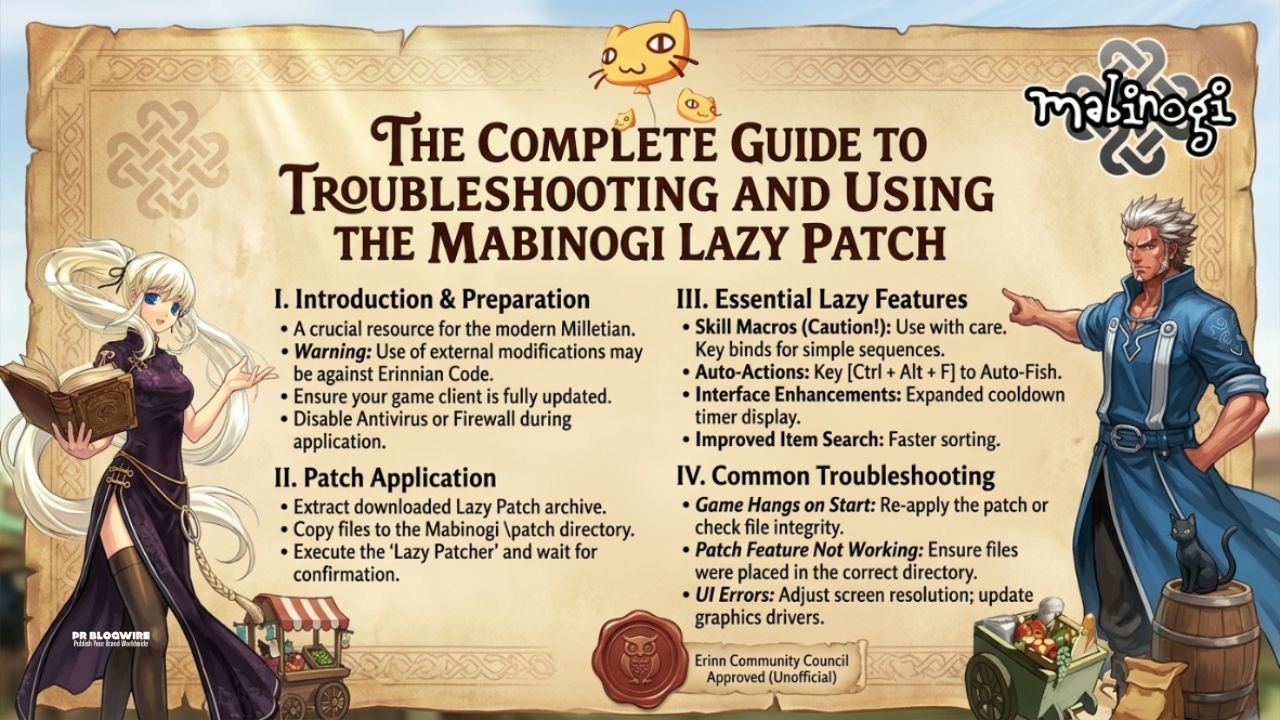
Mabinogi, the long-running MMORPG from Nexon, is famous for its depth, complex life-skill systems, and its unique community-driven development environment. Over the years, players have developed various tools to enhance gameplay, manage technical limitations, and optimize the user experience. One such recurring topic within the community is the concept of a “lazy patch”—a shorthand used to describe community-made modifications or specialized installers that simplify the process of patching, updating, or running the game client without dealing with the often-cumbersome official launcher.
This article explores why these patches exist, how they function, and the best practices for maintaining a healthy and updated Mabinogi client.
Understanding the Need for Custom Patching
The official Mabinogi launcher is responsible for verifying game files, downloading updates, and initiating the anti-cheat software. However, players often encounter issues such as slow download speeds, “stuck” patching processes, or compatibility issues with older operating systems.
A “lazy patch” or community-maintained client modification typically aims to resolve these bottlenecks. These modifications often include:
-
Pre-patched files: Allowing users to skip the massive initial download.
-
Launcher bypasses: Using a direct executable to launch the game, bypassing the official launcher’s overhead.
-
UI/Quality of Life tweaks: Modifying internal game files to enhance font readability or remove unnecessary startup animations.
The Risks and Technical Reality
It is vital to understand that modifying game files carries inherent risks. Nexon’s security measures are designed to detect unauthorized changes to the game’s executable or data files. Using unofficial patches can lead to account suspension or the client failing to launch entirely when a legitimate update is pushed by the developers. Always prioritize official sources before attempting to use community-provided files.
Optimizing Your Mabinogi Experience
If you are struggling with the official launcher, there are several steps you can take to “patch” your experience without resorting to potentially unsafe third-party modifications.
1. Verifying Game Files
The most common cause of a failed update is file corruption. Instead of looking for a external patch, use the built-in repair tool.
-
Open the Nexon Launcher.
-
Navigate to the Mabinogi game page.
-
Click on the gear icon (Settings) and select “Repair Installation.” This forces the client to re-scan your files against the current version on the server, fixing missing or corrupted data without needing an unofficial patcher.
2. Managing Connection Stability
Many users feel they need a “lazy patch” because their download speed is throttled. This is often not the game’s fault but rather a network configuration issue. Ensuring that your firewall is not blocking the Nexon Launcher’s connection to the patching servers is the first step. You may need to add the game folder to your Antivirus exclusion list to prevent it from flagging the patching process as a false positive.
Maintaining a Modern Mabinogi Setup
For those looking to keep their game running smoothly, the focus should be on system maintenance rather than file modification.
Hardware and Software Optimization
-
SSD vs. HDD: Mabinogi’s engine performs significantly better when installed on an NVMe SSD. The asset loading times are reduced, which eliminates the “stuttering” often mistaken for a need to patch the game files.
-
Driver Updates: Ensure your GPU drivers are up to date. The game utilizes older DirectX libraries, and modern drivers often include compatibility layers that help stabilize the frame rate.
-
Virtual Memory: Increasing your Windows page file size can help prevent memory-related crashes during heavy events or in densely populated areas like Dunbarton.
Keeping Up with Official Updates
The best way to “stay patched” is to follow the official Mabinogi News Portal. The developers frequently provide manual patch notes and direct download links for major content updates. Relying on these sources ensures that your client remains compatible with the latest anti-cheat standards and game events.
Community Standards and Fair Play
The Mabinogi community is highly skilled at creating mods, but it is important to distinguish between “convenience mods” and “competitive advantages.”
-
Convenience: Mods that change the color of UI elements or improve text clarity are generally accepted by the community but still technically violate terms of service if they alter game files.
-
Competitive: Any mod that automates gameplay, modifies combat distance, or exposes hidden data is strictly prohibited and easily detected by the current game security.
If you find yourself needing a “lazy patch” to simplify repetitive tasks, consider instead utilizing the game’s built-in macro systems or keyboard mapping software, which are fully supported and will never result in an account ban.
Conclusion
While the desire for a “lazy patch” is born out of a wish for a smoother, faster experience, the best way to enjoy Mabinogi is by working within the framework provided by the developers. By maintaining your system, keeping your drivers current, and using the official repair tools, you can achieve the same level of performance and stability without putting your account at risk.
For more information on troubleshooting specific game errors or participating in the latest events, keep an eye on official community resources and the Nexon Support Center.